
Player controls: UART or/and One button "Select / Play" or/and binary code "Select track"
Pinouts and Switches
UART - send upper symbol "A" to start first track, "B" for second, etc... (check below for more info). To stop playback enter any other symbol.
Dir1 / Dir2 - Select directory with WAV files. Required 2 directory with names "1" and "2". Dir "1" selected by default
Dir1 / Dir2 - Select directory with WAV files. Required 2 directory with names "1" and "2". Dir "1" selected by default
Select / Play - button launches a track to play. One click play first track, double click second, etc...
Select track - play track by binary code. If 0001 play first track, if 0010 play second, etc... Counting in binary
Monster - can slow (2 times) track play. The switch works "on the fly"
Helium - speeds up the track (1/3). The switch works "on the fly"
Repeat - if the switch is shorted to ground, the selected track will be forever played.
Debug LED information
The red LED flashes - no SD card or its type is not supported by the device
Red LED lights - SD card is supported and successfully initialized, but the card was not formatted in FAT16
Green LED lights - SD card is initialized successfully, locate the file system and the device is ready to play a track - waiting for the team
Green LED flashes - the device plays the track
The green goes to red, the green again - not found a track
The green briefly goes out and the green again - pressed to choose track
Debug UART information
After each successful step in the UART sends the appropriate symbol:
S - (Start) of the microcontroller peripherals initialized properly
C - (Card Init) SD card is initialized properly and supported
F - (FAT Init) FAT system is supported
1 - (No 1 Dir) no folder "1" is read from the root directory
2 - (No 2 Dir) no folder "2" will be read from the root directory
R - (Ready) the device is fully ready. Waiting for the command to start the track
In addition, each time a track is transferred to the UART capital track name.
File system and WAV file format
microSD/SD/MMC card must be formated in FAT16. 2GB maximum supported flash card size.
WAV file should be Mono with 32000Hz Sample rate and 8 Bit Depth.
In order for the unit knew what file first, second, third, etc. the first character of the file name must be uppercase letters (the rest of the name as the file extension - is ignored.)

Uploading Attiny2313 WAV player firmware in 4 steps

Uploading Attiny2313 WAV player firmware in 4 steps
4. Open terminal and run next command: avrdude -c avrisp -b 19200 -P com13 -p t2313 -U lfuse:w:0xe4:m -U hfuse:w:0xdf:m -U flash:w:SDC_Talking.hex
My device photos
AVR Attiny2313 WAV player with Sparkfun FTDI attached


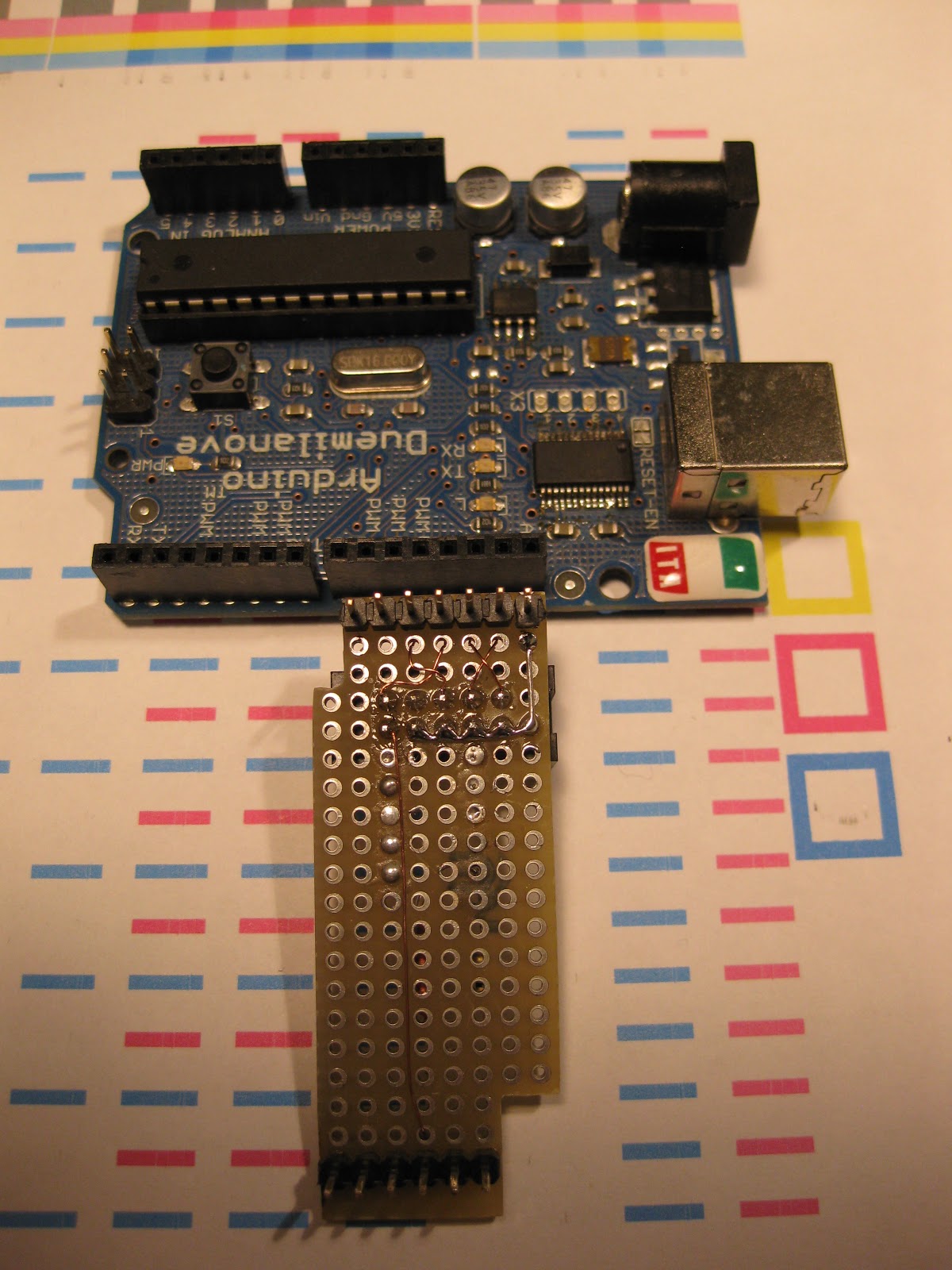
Arduino as AVRISP programmer


17 comments:
Congratulations, this is excellent! what kind of speaker did you use, I can't see it in the video, is it a regular 8ohms?
yes, you can use regular 8ohms speaker.
or you can use one transistor amplifier https://lh5.googleusercontent.com/-0i-gQE9ob2w/UKBUoPRU-8I/AAAAAAAAADw/zJh6I4O6fGg/s637/attiny2313%2520with%2520transistor%2520amplifier.png
with the same 8ohm speaker to make it louder.
nice playlist you got there.. :D
Love the project. I'm running into an issue with your source.
When I download it, it unzips to an spl7 file.
What IDE did you use for development?
Algorithm Builder - download here http://algrom.net/
not my source ;), just my exec.
It's the best AVR WAV player in internet that you can build. from http://www.getchip.net/posts/087-attiny2313-sd-card-talking-device/
hi..
i've just finish my version of attiny2313 talking machine
http://www.youtube.com/watch?v=7qaO0p_U4Jo
i put the breakdown on http://aisi555.blogspot.com
I need to light some leds only when it plays a file.
In the current schematic the green led is blinking so I cannot place a transistor in that pin; there is another pin that goes high only when it plays a sound?
Even on the sd card, it does not matter.
Thank you for a reply
Congratulation!
could be any way for make possible power it with only 2 AA batteries?
what is the value and type of the first Vcc conected capacitor, it is not clear in the image 100mF?
Thanks you.
in Schematic, Pin D0 SDCARD conected to Pin MOSI or MISO on MCU?
I have built wav player with 2313,it works fine evev with commands from RX (TX of other micro RENESA)..But only 1 GB sd card is supported in FAT system with 32kb sampling rate.
how can i use 2 gb or 4 gb sd card
H.K. Suthar Ahmedabad
hargovind19@gmail.com
Hello,
Can I use ATMEGA 8 instead of ATTINY 2313? Share me the schematic and source for the same. Thank you.
nikki u send me mail for mega 8
whats ur e-mail ID?
hargovind19@gmail.com
ahmedabad
nice project, I want to build the same thing but i need to play video too
which makes it a video player.
can anyone help me with that
Bonjour, belle réalisation.
Pour info : votre lien de téléchargement du fichier hex semble erroné, il dirige vers une page YouTube contenant votre vidéo, mais pas vers un téléchargement.
Bonne continuation
Enter your comment...Hello, IAM very happy to meet you again God bless you , thanks
Post a Comment